 By
By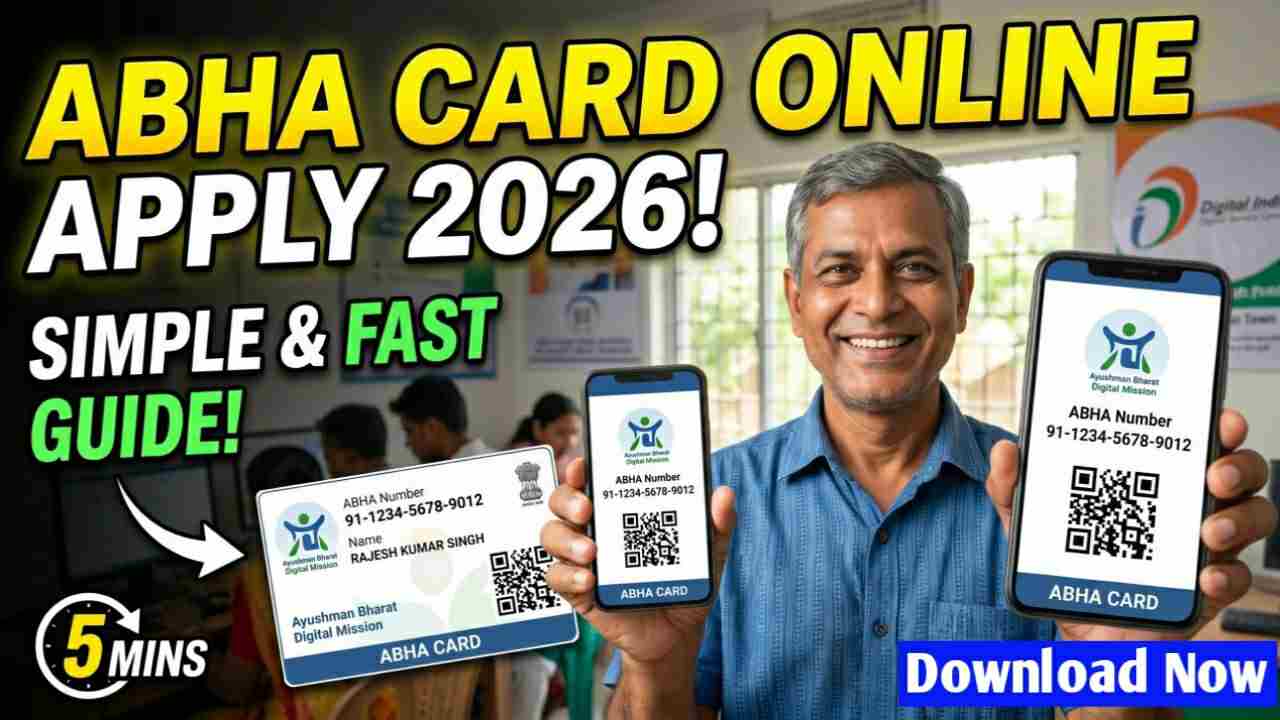
The ABHA card is a unique 14-digit digital health ID. It is a major part of the Ayushman Bharat Digital Mission (ABDM). You can think of it as a highly secure digital locker for all your health information.
Instead of carrying heavy files of medical reports, you can store everything online. This includes your doctor’s prescriptions, blood test reports, and hospital discharge papers. It keeps your records safe, and you can share them with any doctor or hospital across the country.
ABHA Card vs Ayushman Card
Many people get confused between the ABHA card and the Ayushman card. They are not the same thing.
-
The ABHA card is a free digital health ID. Its job is to store your medical history. Any Indian resident can create one. It does not, by itself, give you free treatment.
-
The Ayushman card is part of the PM-JAY scheme. It provides up to ₹5 lakh of free cashless treatment per family per year to those who are eligible based on economic criteria.
Who Can Apply for an ABHA Card?
-
Any Indian citizen or resident can apply. There is no income limit, no location barrier, and no health status check for creating an ABHA card.
-
You must be 18 years or older to create your own ABHA number.
-
For children and newborns, parents can create an ABHA ID on their behalf.
-
A working mobile number is mandatory. You will need it to receive a one-time password (OTP) for verification.
-
Creating an ABHA card is 100% voluntary. It is your choice. No hospital can force you to make one to get treatment
How to Apply for ABHA Card Online in 2026
You can apply either through the official website or the ABHA mobile app. Both methods are free and take only a few minutes. The entire process is completely free — no fees at any stage.
Step 1: Open the Website
Open your phone or computer browser. Go to the official ABDM portal at abha.abdm.gov.in . You will see an orange button that says “Create ABHA Number.” Click on it.
Step 2: Choose Your ID and Enter Details
Select whether you want to use your Aadhaar card or driving licence. Enter the 12-digit Aadhaar number or your licence number. Read the terms and conditions and give your consent. Then enter the captcha code shown on the screen.
Step 3: Verify with OTP
An OTP will be sent to your Aadhaar-linked mobile number. Enter this OTP on the website. This step confirms your identity. It is safe and takes only a few seconds.
Step 4: Add Your Communication Details
If your mobile number is already linked to your Aadhaar, most of your details will be fetched automatically. You may need to enter your email address. A verification link will be sent to your email. Click on it to confirm.
Step 5: Create Your ABHA Address
Now you create a unique ABHA address. Think of it like a username. It should have at least 8 characters and can include a dot or an underscore. For example: yourname2026@abdm . This address works like a UPI ID for your health records.
Step 6: Download Your Card
Once you click “Create ABHA,” your digital card is generated instantly. You will see your 14-digit ABHA number on the screen. Download the card as a PDF. You can also print it and keep a physical copy if you wish.
How to Check ABHA Card Status
If you have already applied and want to check whether your card is active.
-
Visit the official ABHA portal and click on “Login.”
-
Log in using your registered mobile number or your 14-digit ABHA number.
-
Enter the captcha and the OTP sent to your phone.
-
Once inside your dashboard, look for a section like “My Account” or “Profile.” Your card status — whether it is active, pending, or needs correction — will be displayed here.
Checking your status is a good habit. It ensures your health ID is working and ready to use when you need it.
How to Download ABHA Card 2026
For already registered users:
-
Go to the ABHA login page.
-
Enter your mobile number or 14-digit ABHA number.
-
Verify with the OTP.
-
On your dashboard, click the “Download ABHA Card” button. Your card will be saved as a PDF.
Using DigiLocker:
Your ABHA card can also be stored in DigiLocker, the government’s digital document wallet.
-
Log into your DigiLocker account using your Aadhaar credentials.
-
Search for “ABHA Card” under the health documents section.
-
Link your Aadhaar if prompted.
-
Download the card directly from DigiLocker
ALSO READ :
WB Free Bus Travel scheme for Women 2026 : Free Bus Travel Scheme Benefits, Eligibility Criteria
BJP 200 Unit Free Electric Bill Scheme 2026 West Bengal
PM-Kisan Samman Nidhi 2026 West Bengal: New Farmer Apply Online, Eligibility and Status Check
PM Awas Yojana 2026 in West Bengal : PM Awas Yojana Form Fill Up, Eligibility and Benefits